

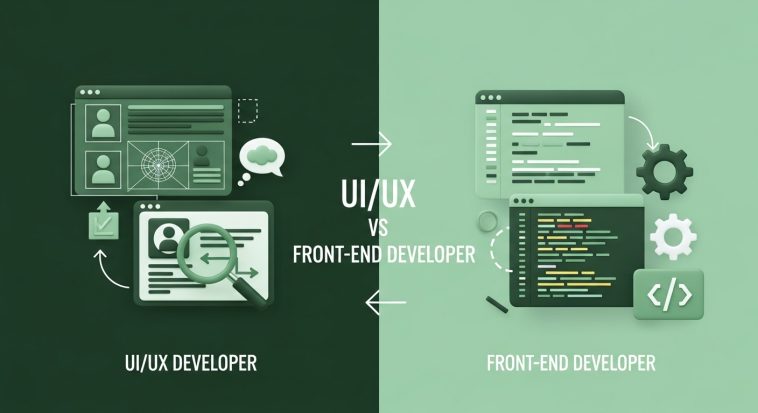
In this post, you will learn the key difference between UI/UX designer and a Front-end designer.
Let’s dive right in,
I know so many of us have run into of into conflicts regarding UI/UX and front-end designers. As someone who has been in this space for a very long time, I will be more than happy to share with you today the difference between a UI/UX designer vs a front-end Designer.
Here’s what you’ll learn in this post:
- What a UI/UX designer does
- What a front-end designer does
- The 5 core differences between them
- Which is more beginner-friendly (and why)
What a UI/UX Designer Actually Does
UI/UX is shorthand for User Interface / User Experience. Though many roles overlap, here’s a breakdown:
- UX (User Experience): The work of shaping how a user feels when interacting with a product — ensuring it’s usable, intuitive, and fulfilling. This includes user research, wireframes, information architecture, journey maps, prototypes, and usability testing.
- UI (User Interface): The visual and interactive layer — color schemes, typography, layouts, icons, micro-interactions, visual consistency. The UI designer ensures the product is attractive, cohesive, and visually communicates the brand.
In practice, a UI/UX designer often wears multiple hats: they may conduct user interviews, sketch wireframes, prototype flows, validate with real users, then implement or hand off design specs to developers. Their deliverables often include:
- Wireframes & low-fidelity prototypes
- High-fidelity mockups
- Design systems & style guides
- Usability test reports
- Interaction maps & flows
What a Front End Designer Actually Does
“Front end designer” is a term less commonly used than “front end developer,” but in many contexts it straddles design + implementation.
Here’s how I define it:
A front end designer works at the border between visual/interaction design and actual code. They take design systems, UI mockups, or wireframes, and turn them into working HTML/CSS/JavaScript interfaces — delivering functional UI that’s responsive, interactive, accessible, and performant.
Key responsibilities often include:
- Translating UI mockups into clean, maintainable code
- Ensuring responsive layouts (mobile, tablet, desktop)
- Implementing micro-interactions (hover states, transitions, animations)
- Ensuring cross-browser compatibility
- Optimizing performance (e.g. minimizing CSS/JS, lazy loading)
- Collaborating with backend engineers to integrate APIs or dynamic data
In short: they are designers who code (or designers leaning heavily into front end development), or developers who are “design-aware.” Their deliverables typically include:
- HTML, CSS, JavaScript (or frameworks like React, Vue, etc.)
- Interactive UI components
- CSS animations / transitions / hover states
- Responsive and adaptive layouts
- Documentation of interactive behaviors
5 Key Differences: UI/UX vs Front End Designer
To address the difference between these two amazing career paths, UI/UX vs front-end designer, below are five critical axes on which these roles diverge. Understanding these differences helps clarify which track might suit you best.
| Difference | UI/UX Designer | Front End Designer |
| Primary Focus | User experience, flows, usability, visuals, empathy | Code implementation, interactivity, performance, responsiveness |
| Skill Set | Wireframing, prototyping, user testing, visual design tools (Sketch, Figma, Adobe XD) | HTML, CSS, JavaScript, frameworks/libraries, browser quirks |
| Deliverables | Static or interactive prototypes, design system assets, user research outputs | Working UI code (components, pages), integration, animations |
| Technical Depth | Some technical awareness (e.g. CSS constraints), but mostly design logic | Deep technical skills to solve UI challenges in code |
| Collaboration & Handoff | Works with stakeholders, researchers, product managers, hands off to devs | Works closely with backend, APIs, deployment, merges code, fixes UI bugs |
Let’s break each of these five differences down in more detail.
1. Primary Focus & Mindset
- UI/UX Designer: Your lens is the user. You’re constantly asking: How does this feel? Where might they get stuck? Is the flow logical? You iterate on prototypes, test assumptions, focus on delight, clarity, and reducing friction.
- Front End Designer: Your lens shifts to feasibility and implementation. You ask: Can I replicate this design in code? Will it be performant? How do I handle edge cases in this layout or interaction?
In other words, UI/UX is more aspirational (design + behavior), while front end design is more pragmatic (making the UI come alive reliably).
2. Skill Set & Tools
- UI/UX Designer typically masters:
- Figma / Sketch / Adobe XD / InVision
- Wireframing & prototyping
- Usability testing tools (e.g. Maze, UserTesting)
- Design systems & component thinking
- User research, personas, journey maps
- Front End Designer typically masters:
- HTML5, CSS3 (including Flexbox, Grid)
- JavaScript & relevant frameworks (React, Vue, Svelte)
- CSS preprocessors (SASS, LESS) or CSS-in-JS
- Build tools (Webpack, Vite, etc.)
- Browser dev tools and debugging
- Performance optimization techniques
The crossover is often at UI handoff — a front end designer reads and respects your design tokens, spacing, components, while a UI/UX designer must understand code constraints (like responsive breakpoints, CSS behaviors) to make realistic designs.
3. Deliverables & Output
- UI/UX Designer hands off:
- Wireframes (low-fidelity)
- Clickable prototypes
- High-fidelity mockups
- Style guides, asset packs, design tokens
- User test reports & annotated issues
- Front End Designer delivers:
- HTML/CSS/JS pages or components
- Interactive UI (animations, transitions)
- Responsive behavior (fluid, adaptive)
- Integrations (data, API-driven UI)
- Performance-tuned code
So while UI/UX delivers plans, front end designers deliver working UI that users can interact with directly.
4. Technical Depth & Constraint Handling
- UI/UX Designer: You should understand technical constraints (e.g. performance cost of heavy animations, CSS limitations, responsiveness), but your work is mostly abstracted. You propose, you test ideas, you don’t debug code-level issues.
- Front End Designer: You live in constraints. You often wrestle with CSS specificity, responsive bugs, cross-browser issues, performance bottlenecks, or animation stutter. You need to know the why behind browser behavior and fix it.
This is a big shift in thinking — from “design ideal” to “design that survives in code and across devices.”
5. Collaboration & Role in Product Lifecycle
- UI/UX Designer often sits earlier: defining requirements, collaborating with product managers, conducting research, defining flows, validating prototypes, iterating before development begins.
- Front End Designer comes in bridging design and engineering: implementing the UI, handling UI bugs, iterating UI after code feedback, merging with backend, ensuring the final product matches design intents, and sometimes maintaining UI components after launch.
Thus, UI/UX designers shape what should be built, while front end designers shape how it actually works in the browser.
Which Is More Beginner Friendly?
If you’re just getting started and trying to pick one path, here’s the honest take:
UI/UX design is generally more beginner friendly — especially if you don’t yet know how to code. You can begin learning wireframing, prototyping, user flows, design principles, usability heuristics — all without worrying about syntax or runtime bugs. You get feedback faster because you can prototype, test, revise.
Once you build UI/UX competence, you can learn front end skills gradually (HTML/CSS, JS). Many UI/UX designers transition into front end roles or at least acquire enough technical skill to collaborate better with developers.
That said, if you love coding, interactivity, and seeing immediate UI output, starting with front end design can be motivating — but it comes with a steeper technical learning curve.
So:
- If you prefer visual thinking, empathy, user journeys, and interface aesthetics → start with UI/UX
- If you like building, coding, expressing animations, solving layout problems → start with front end design
Sample Flow: How a Project Might Unfold
Here’s a simplified example of how UI/UX and front end design might work together on a new feature:
- UX research & requirements
UI/UX designer interviews users, defines personas, identifies pain points. - Wireframes / user flows
UI/UX sketches low-fidelity flows to map out how users navigate. - Prototype & usability testing
UI/UX builds interactive prototype and tests with real users, iterates. - High-fidelity UI mockups & design system
UI/UX builds polished visuals, components, provides asset specs. - Handoff / collaboration
Design tokens, component specs, documentation delivered. - Front end implementation
Front end designer builds HTML/CSS/JS, adapts to device sizes, integrates data, handles animations. - Iteration & optimization
UI/UX reviews the built UI, suggests tweaks; front end designer makes adjustments, fixes UI bugs, improves performance. - Final QA & launch
The two roles iterate together until the UI is smooth, functional, and visually polished.
Tips for Beginners Who Want to Transition
If you want to eventually do both (UI/UX + front end), here’s a gradual learning path:
- Start with UI/UX basics
Learn principles: balance, contrast, typography, spacing, hierarchy. Use Figma or Sketch; build basic wireframes. - Read about usability heuristics & human factors
Understand what makes experiences good or bad (e.g. Jakob Nielsen’s heuristics). - Build simple prototypes & test
Use tools like Figma, InVision, or Flows to make interactive demos. - Learn basics of HTML and CSS
Even just enough to inspect what others built, see how layouts work. - Build a simple UI you’ve designed
Take your design and try to code it — maybe a landing page. - Progress to JS / basic interactivity
Add hover states, basic transitions, form validation. - Use frameworks or component libraries
Try React, Vue, or even simpler libraries to manage UI state. - Bridge your design thinking into front end decisions
When coding, ask yourself: does this match the user flow? is this responsive? what about accessibility?
Final Thoughts on UI/UX vs Front end Designer
- UI/UX designers and front-end designers overlap — many teams expect people who can do both (at least to some degree).
- The five differences above help you understand which skills, tasks, and mindset each role leans toward.
- For a beginner, UI/UX is usually the safer, less technical entry point. But if your passion lies in interactivity and code, you can shift toward front end design from there.
- Either path is rewarding — the key is consistent practice, real projects, and building a portfolio that demonstrates both aesthetic sense and execution ability.



GIPHY App Key not set. Please check settings